![CyvatarLogo_May2022-01 (1).png]](https://support.cyvatar.ai/hs-fs/hubfs/CyvatarLogo_May2022-01%20(1).png?height=40&name=CyvatarLogo_May2022-01%20(1).png)
1. Open System Settings.
2. Click on Notifications on the left side.
3. Click on SentinelAgent.
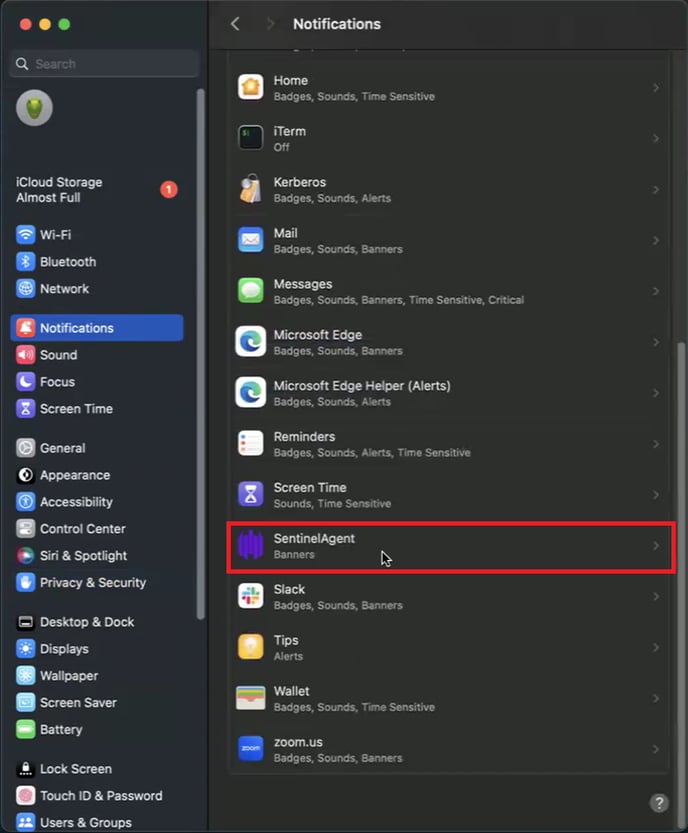
4. Toggle on the switch to allow notifications.
1. Open System Settings.
2. Click on Notifications on the left side.
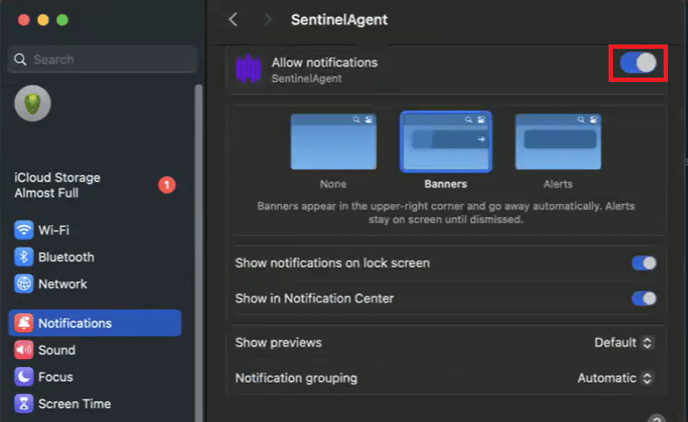
3. Click on SentinelAgent.
4. Toggle on the switch to allow notifications.